[Tech & Gadgets]
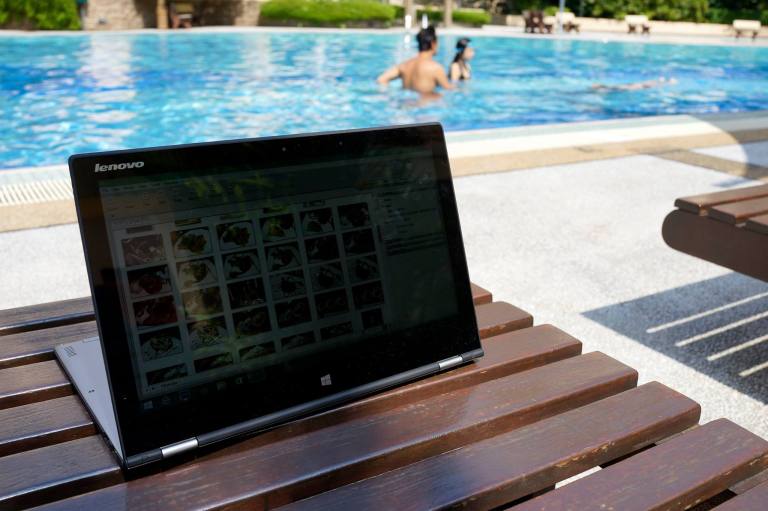
If you’re following my Facebook at http://www.facebook.com/timchewkc or my Instagram @timchew1311 you’d have noticed that I’ve been making some updates highlighting the Lenovo IdeaPad Yoga 2 Pro-13 in various settings be it a cafe, office, or even by the poolside.
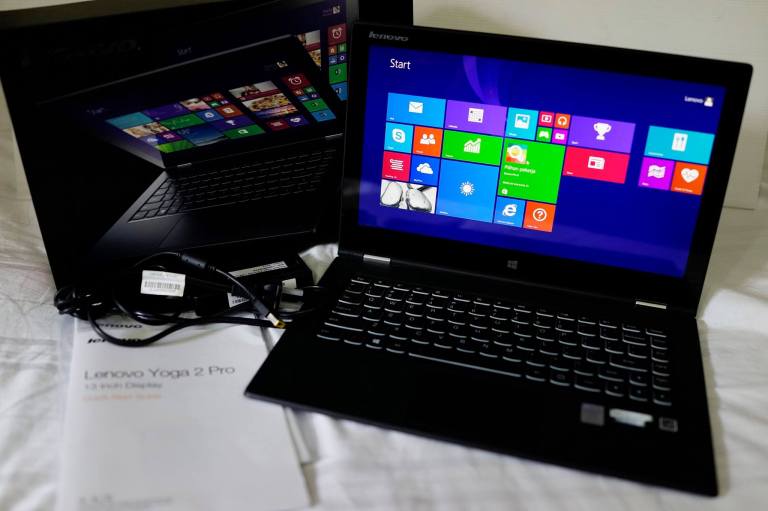
The Lenovo Yoga 2 Pro comes loaded with a lot of features and here are some of them:
360-Degree Flip-and-Fold Design
Change between four modes — Laptop, Stand, Tablet, and Tent, by just rotating the screen. It can rotate 360 degrees and the Lenovo Transition automatically switches system settings and locks the keyboard in place. Use the touchscreen display in tablet mode when you don’t need a physical keyboard, or flip it to stand or tent mode to watches movies. No detaching and attaching keyboards required here.
Apps for Every Mode
Yoga 2 Pro now comes loaded with custom software that helps you get the best of every mode. The exclusive Lenovo Recommends software recognizes when you switch modes and recommends preloaded apps that work best such as the Phone Companion, Camera Man, Photo Touch, and Chef.
Quad HD+ Display
The Yoga 2 Pro’s super-high-resolution QHD+ (3200 x 1800) 10-point multi-touch Corning glass display gives a beautiful and sharp display, while the in-plane switching (IPS) technology assures that images will be crisp across a wide viewing angle which is really useful when I’m giving presentations to my clients.
Cutting-Edge Processing
The Yoga 2 Pro is powered by the new 4th generation Intel® Core™ processor, giving powerful performance and the ability to multitask without sacrificing speed. In fact, I never once faced any lag even though I was watching a movie with multiple programmes running. It even comes with built-in security features to help keep your data safer.
Thin and Light Design; Long Battery Life
The Lenovo Yoga 2 Pro weighs in at only 1.39kg (3.1 lbs) and is just 15.5mm (0.61″) thick, making it really portable, and comes with up to 9 hours (claimed) of battery life. This means you can just slip it into a sleeve and carry it with you without bringing along the charger in a bulky laptop bag.
Lenovo Motion Control
The webcam can be used as an input device — flip pages, rewind/forward music, change volume, and gesture other simple commands with the flick of a hand.
Lenovo Voice Control
Lenovo Voice Control lets you perform tasks on your Yoga 2 Pro by simply telling it what to do or asking a question.
Superfast SSD Storage
This is one really noticeable difference especially if you’re used to the standard SATA hard disk drives as the SSD comes with fast read/write speeds.
Backlit AccuType Keyboard
The AccuType keyboard is ergonomically designed to make typing more comfortable and to reduce errors, while backlighting is a feature that I found most useful especially in low-light settings.
Stereo Speakers With Dolby® Home Theater®
The Yoga 2 Pro’s speakers deliver impressive stereo sound despite the size of the ultrabook, while Dolby Home Theater provides an immersive audio experience.
Green Certification
The Yoga 2 Pro is the first laptop to earn Green Mark certification from TUV. The award recognizes Lenovo’s history of social responsibility, environmentally friendly manufacturing processes, and low energy consumption.

Technical Specifications
Model: 59-403332 – Silver Grey
Processor: Intel® Core™ i5-4200U (1.6Ghz up to 2.6Ghz, 3MB L3 Cache)
Operating System: Windows 8.1
Display Type: 13.3″ high-resolution QHD+ (3200 x 1800) IPS wide-view display with 10-point multitouch technology
System Graphics: Integrated Intel® HD graphics 4400
RAM: 4GB
Hard Drive: 128GB SSD
Battery: 4 Cells
Weight: 1.39Kg
USB: 1 x 2.0; 1 x 3.0
Bluetooth: BT 4.0
Dimensions (W x D x H): 330 mm x 220 mm x 15.5 mm (12.99″ x 8.66″ x 0.61″)
Camera: 720p HD webcam
Connectors: Audio Combo Jack (headphone and microphone), micro HDMI-out
Card Reader: SD
Sound: Integrated stereo speakers with Dolby® Home Theater®
The Lenovo Yoga 2 Pro is currently selling at all Lenovo authorised distributors at a suggested retail price of RM3,699.00 and comes with 2 Years Limited International Warranty Service (IWS).
More info at http://www.lenovo.com/my/en/

 timchew.net